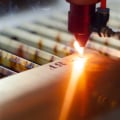
In the world of laser engravinglaser engraving, understanding the intricacies of laser settings for different materialslaser settings for different materials is crucial for achieving optimal results. Whether you're a seasoned engraver or just starting out, the right settings can make all the difference between a flawless finish and a frustrating failure. The laser's power, speed, and frequency must be meticulously adjusted to suit the unique characteristics of each material, from wood and acrylic to metal and glass. As technology advances, so too do the capabilities of laser engravers, making it essential for operators to stay informed about the best practices for various substrates. This article delves into the fundamental aspects of laser settings tailored specifically for different materials, providing you with the knowledge needed to enhance your engraving skills.
Join us as we explore how to master your laser engraver and unlock its full potential by understanding how to calibrate your machine for each material type. Proper laser settings are critical in achieving high-quality results in laser engraving. The right settings can make the difference between a flawless finish and a disappointing outcome, especially when working with different materials. Understanding how various materials react to laser engraving is essential for both beginners and experienced users, as it directly impacts the engraving quality, durability, and aesthetic appeal of the final product. Several factors influence the laser settings, including power, speed, frequency, and DPI (dots per inch). Each of these variables plays a significant role in how the laser interacts with the material.
For instance, increasing the power of the laser can lead to deeper engravings but may also risk burning or charring sensitive materials. Conversely, a higher speed setting may produce a lighter engraving but can result in insufficient material removal if set too high. Therefore, finding the right balance among these factors is crucial. Let’s delve into specific examples of laser settings for common materials like wood, metal, acrylic, glass, and leather. For wood, a common starting point could be a power setting of around 50-80%, a speed of 100-200 mm/s, and a frequency of 500-1000 Hz.
Wood generally engraves well with moderate settings, but testing is essential to avoid burning the edges. For metals, such as aluminum or stainless steel, much higher power settings (around 80-100%) and lower speeds (20-50 mm/s) are often needed to achieve clean results since metals reflect laser light differently than organic materials. Acrylic is another popular material for laser engraving. It typically requires a power setting of about 30-50%, a speed around 300-600 mm/s, and a frequency of 500 Hz. Acrylic has a unique property where it can melt or become frosty if not properly adjusted; thus, careful calibration is necessary to achieve that perfect finish.
On the other hand, glass requires significantly different settings due to its fragility. A power of around 20-30%, with slower speeds around 10-20 mm/s and lower frequencies (around 500 Hz), is usually appropriate. Engraving glass can be challenging as it often leads to cracking if the settings are too aggressive. Leather also presents unique challenges when it comes to laser engraving. Typically, settings around 30-50% power, with speeds of 200-400 mm/s and frequencies of 1000 Hz can yield good results.
Testing on scrap pieces is advisable because leather can vary in thickness and treatment, which affects how it reacts to the laser. Each material's unique properties dictate how it should be treated during the engraving process. Testing settings before proceeding with an actual project is crucial for avoiding mistakes that could lead to wasted time and resources. Users might face challenges such as uneven engraving depth or unwanted burning on wood or leather. To troubleshoot these issues, adjusting speed or power settings is often necessary; sometimes lowering power or increasing speed can resolve problems like charring. Design considerations also play an important role in enhancing engraving outcomes.
High-contrast designs usually yield better results, especially on darker materials where fine details need to stand out. Additionally, simplifying intricate designs can help prevent issues during engraving by ensuring that the laser does not become overwhelmed by too much detail. In conclusion, understanding laser settings for different materials is fundamental for achieving quality results in laser engraving. By carefully considering factors like power, speed, frequency, and DPI while also being aware of each material's unique characteristics and potential challenges, users can significantly enhance their engraving projects. Testing and adjusting settings based on individual materials will further ensure successful outcomes and elevate the user's skills in this increasingly popular craft.
Laser Engraving on Wood
When it comes to laser engraving on wood, understanding the right settings is crucial for achieving high-quality results.Different types of wood, such as softwoods and hardwoods, require specific adjustments to the laser parameters to ensure optimal engraving performance. For softwoods, like pine or cedar, a lower power setting and faster speed are typically recommended. This is because softwoods are less dense and can burn more easily. A common setting for engraving softwoods might be around 30-40% power with a speed of 300-400 mm/s. This helps to achieve a clean engraving without excessive charring. On the other hand, hardwoods, such as oak or walnut, require higher power settings due to their density.
For hardwoods, you might increase the power to about 50-70% while reducing the speed to around 200-300 mm/s. This ensures that the laser can penetrate deep enough to create a clear and defined engraving. Additionally, the grain and moisture content of the wood play significant roles in the engraving quality. Woods with pronounced grain patterns may require adjustments in the settings to avoid uneven engravings. Higher moisture content can lead to issues like warping or burning during the engraving process, so it's advisable to use wood that has been properly dried and conditioned. In summary, careful consideration of wood type, grain, and moisture content is essential for successful laser engraving on wood.
By fine-tuning your laser settings accordingly, you can achieve beautiful engravings that highlight the unique characteristics of each wood type.
Laser Engraving on Acrylic
When it comes to laser engraving on acrylic, achieving the right settings is crucial for producing clean and professional results. Acrylic is a popular material in the laser engraving community due to its versatility and aesthetic appeal. However, to ensure the best outcome, it is essential to understand the optimal power and speed settings. For acrylic engraving, a common recommendation is to use a power setting of around 30-50% and a speed of approximately 100-300 mm/s, depending on the thickness of the material. Thinner acrylic sheets may require lower power settings and higher speeds to avoid excessive melting or charring.Conversely, thicker materials might benefit from slightly increased power and reduced speed to ensure a clean engrave without compromising the integrity of the acrylic. One of the primary challenges when engraving acrylic is the risk of melting or charring. This often occurs when the laser's power is too high or the speed is too slow, leading to heat buildup that can distort or damage the material. To mitigate these issues, it's advisable to perform test engravings on scrap pieces of acrylic first. This allows you to fine-tune your settings before working on your final piece. Another tip is to use masking tape over the acrylic surface during engraving.
This helps to protect it from soot marks and can reduce the chances of charring. Additionally, ensuring that your laser lens is clean will help maintain a focused beam, which is critical for achieving precise engravings without unintended damage. By carefully adjusting your power and speed settings and taking precautions against common issues, you can master laser engraving on acrylic and produce stunning results that showcase your creativity and skills.
Laser Engraving on Glass
Engraving on glass is a delicate process that requires a keen understanding of both the material and the laser settings involved. The delicate nature of glass means that improper settings can lead to cracking or shattering, which can ruin your project and even pose safety hazards. To achieve the best results when laser engraving on glass, it is crucial to adjust your laser settings appropriately. Start with a lower power setting, typically around 20-30% for standard glass types.This helps to prevent excessive heat buildup, which can cause the glass to crack. Additionally, increase your speed settings; a faster engraving speed minimizes the time the laser spends on any single point, reducing the risk of thermal shock. Another important factor is to use a suitable focus. Ensure that the laser is properly focused on the surface of the glass to achieve clean and precise engravings. A wider focus can lead to more heat being distributed across the surface, increasing the chance of damage. Furthermore, consider using a masking tape or a protective coating on the surface of the glass before engraving.
This not only protects against potential cracks but also helps to achieve smoother finishes and cleaner edges. Finally, always conduct test engravings on scrap pieces of glass before working on your final project. This practice allows you to fine-tune your settings and gain confidence in your technique, ensuring that you achieve quality results every time.
Laser Engraving on Metal
Laser engraving on metal requires a precise understanding of the material properties and the appropriate settings to achieve the desired results. Different metals such as stainless steel, aluminum, and brass have unique characteristics that influence the engraving process. When engraving stainless steel, a common choice for its durability and aesthetic appeal, it is essential to use a higher power setting and a slower speed.A typical setting might involve a power level of around 60-80% and a speed of 200-400 mm/s, depending on the thickness of the material. Additionally, using a suitable lens can help in achieving finer detail.
Aluminum
, known for its lightweight and corrosion resistance, requires different settings. A lower power setting of about 30-50% with a faster speed of 500-1000 mm/s often yields better results. This is because aluminum reflects a significant amount of laser energy, making it crucial to balance power and speed to prevent overheating. When working with brass, which has a unique yellowish hue, the settings can vary widely based on the alloy composition.Generally, a power level of 40-60% with speeds around 300-500 mm/s is recommended. It’s important to test on scrap pieces first, as some brass alloys can react differently to laser engraving. The surface finish of the metal also plays a pivotal role in the engraving process. Smooth finishes allow for cleaner engravings, while rough surfaces may diffuse the laser beam, leading to less precise results. Before starting an engraving project, consider whether you need to polish or treat the surface for optimal outcomes. In summary, understanding the specific settings required for different metals in laser engraving is vital for achieving high-quality results.
By adjusting power levels and speeds according to the material type and surface finish, both beginners and experienced users can enhance their engraving projects significantly.
Laser Engraving on Leather
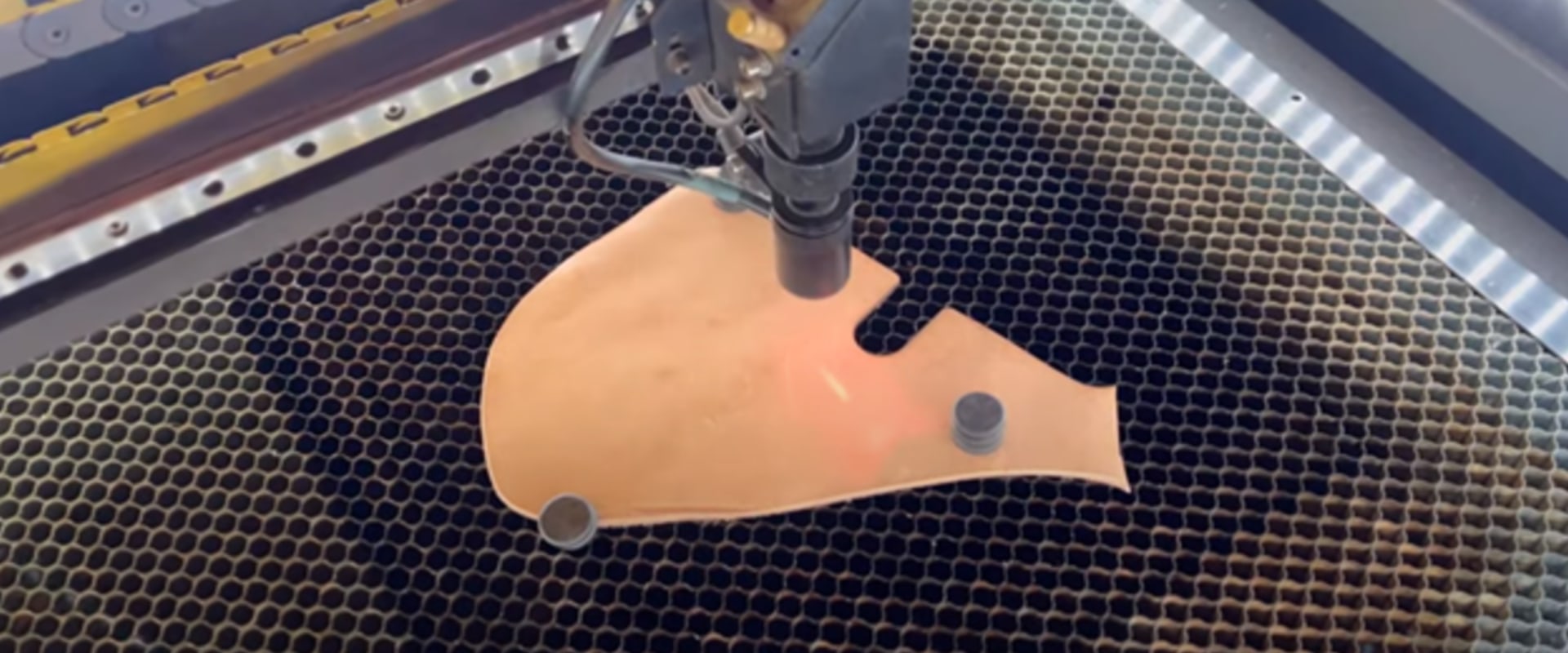
When it comes to laser engraving on leather, understanding the unique characteristics of this material is crucial for achieving optimal results. Leather is a natural material that varies significantly in texture, thickness, and finish, which can all influence how the laser interacts with it. Different types of leather, such as vegetable-tanned or chrome-tanned, will respond differently to laser settings. One of the primary factors to consider is the thickness of the leather. Thicker leather will require higher power settings and potentially slower speeds to ensure that the laser penetrates adequately without causing damage.Conversely, thinner leather may need lower power settings and faster speeds to avoid burning through the material. The finish of the leather also plays a vital role in engraving quality. Smooth, finished leather often provides a cleaner engraving, while rough or unfinished leather may absorb more heat and can lead to undesirable burning. To achieve clean engravings without burning, it is essential to adjust your settings carefully based on the type of leather you are using. Here are some tips for engraving on leather:
- Test your settings: Always perform a test engraving on a scrap piece of the same type of leather before working on your final project. This helps you determine the right power and speed settings.
- Use lower power settings: Start with lower power settings and gradually increase them if necessary.
This approach minimizes the risk of burning.
- Adjust speed: Slower speeds can help achieve deeper engravings, while faster speeds will produce lighter engravings.
- Focus on air assist: Utilizing air assist can help cool the area being engraved and reduce the risk of burning by blowing away smoke and debris.
Common Troubleshooting Tips
When working with laser engraving, understanding the settings for different materials is crucial for achieving the best results. However, users often encounter common issues that can hinder their engraving process. Here are some practical troubleshooting tips to help you resolve these problems:1.Inconsistent Engraving Depth: If you notice that the engraving depth is inconsistent across your material, it could be due to incorrect focus settings. Ensure that the laser is properly focused on the surface of the material before starting the engraving process.Adjust the focal length according to the material thickness.
2.Burn Marks on Material:
Excessive power or slow speed can lead to burn marks on your material. To fix this, reduce the laser power or increase the speed of the engraving process. Additionally, consider using air assist to blow away debris and cool down the material during engraving.3.Poor Adhesion of Engraved Material:
If the engraved design is not adhering well to the material, it may be due to insufficient power settings. Increase the power setting slightly and perform a test engraving on a scrap piece of the same material to find the optimal setting.4.Uneven Color on Engraved Surface:
Different materials respond uniquely to laser settings, leading to variations in color.Ensure you are using the correct settings for each material type. For example, wood may require different speed and power settings compared to acrylic or metal.
5.Material Distortion:
Some materials, such as plastics, may warp or distort under high heat. To prevent this, use lower power settings and faster speeds to minimize heat buildup. Consider using a cooling method or engraving in short bursts to manage temperature.6.Inaccurate Cutting or Engraving Paths:
If your designs are not accurately represented after engraving, check your software settings and ensure that your laser cutter is calibrated correctly.Misalignment can often be resolved by recalibrating the machine and ensuring all components are secure. By following these troubleshooting tips, both beginners and experienced users can enhance their laser engraving projects and ensure high-quality results across various materials. In conclusion, this article has explored the various laser settings required for different materials including wood, metal, acrylic, glass, and leather. We have highlighted the significance of understanding these settings to achieve high-quality results in laser engraving. Experimentation is crucial; by fine-tuning your settings based on the material and desired outcome, you can unlock the full potential of your laser engraver. We encourage all users, whether beginners or experienced, to practice on scrap materials before embarking on final projects. This not only helps in perfecting your technique but also minimizes wastage and frustration. Additionally, we invite readers to share their personal experiences and challenges encountered during the engraving process.
By fostering a sense of community, we can all learn from each other and enhance our skills in this exciting field.