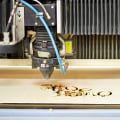
In the world of laser engraving, enthusiasts and professionals alike often encounter a variety of challenges that can hinder their creative flow and productivity. Whether you are a seasoned engraver or a novice exploring the fascinating realm of laser technology, understanding the common issues that can arise is crucial for maintaining optimal performance and achieving stunning results. From inconsistent engraving quality to machine malfunctions, these hurdles can be frustrating, but they are not insurmountable. This article delves into the most prevalent problems associated with laser engravers, offering practical solutions and tips to help you navigate these obstacles with ease. By familiarizing yourself with these issues and their remedies, you will not only enhance your skills but also prolong the lifespan of your equipment.
So, whether you’re troubleshooting a stubborn machine or seeking ways to improve your engraving results, read on to discover how to overcome these challenges effectively. As the popularity of laser engraving continues to rise across various applications, from personal crafts to industrial manufacturing, users are increasingly excited about the capabilities of this modern technology. However, alongside this excitement comes the reality that users may encounter a range of challenges. This article delves into some of the most common issues associated with laser engravers and offers practical solutions to ensure a smoother engraving experience. One prevalent issue that many users face is inconsistent engraving depth. This problem often arises from variations in material density or improper power settings.
For instance, when engraving on wood, a user might find that some areas are burned too deep while others barely mark the surface. This inconsistency can be attributed to the laser's power and speed settings not being correctly calibrated for the specific type of wood being used. To resolve this, users should begin by conducting test engravings on sample pieces of the same material to determine the optimal settings. Adjusting the power settings incrementally while keeping speed consistent can help achieve a more uniform depth.
It’s also advisable to ensure the laser lens is clean, as dirt or residue can affect the laser's performance. Another common challenge is improper material settings. Each material has unique characteristics that require specific adjustments in laser settings. For instance, acrylic requires different settings compared to wood or metal. A common mistake is using generic settings without accounting for material differences, which can lead to poor results like melting or incomplete cuts.
Users should always refer to the manufacturer's guidelines for material-specific settings before starting their projects. Additionally, maintaining a log of successful settings for various materials can save time and frustration in future projects.
Software glitches
are another frequent frustration among laser engraver users. These glitches can manifest in various ways, such as unexpected pauses during jobs, misalignment of designs, or failure to recognize the connected device. Often, these issues stem from outdated software or drivers.To combat this, users should regularly check for updates to both their engraving software and firmware for their laser machine. If issues persist, reinstalling the software or checking the connection cables can often resolve the problem. A good practice is to perform a test run with simpler designs before moving on to more complex projects, ensuring everything operates smoothly. Preventative measures play a crucial role in minimizing these common issues. Regular maintenance of the laser engraver itself is essential for optimal performance.
Users should routinely clean the optics and lens, inspect belts and gears for wear and tear, and check alignment as part of their maintenance routine. Keeping a consistent maintenance schedule not only helps avoid problems but also extends the life of the equipment. Calibration is another critical aspect that should not be overlooked. Users should ensure that their machines are properly calibrated according to manufacturer specifications. This includes checking focus height, ensuring that mirrors are aligned correctly, and verifying that the laser beam is hitting the intended target accurately.
Performing these checks frequently can prevent many of the engraving problems users might encounter. While these solutions work for many users, it’s important to acknowledge that experiences with laser engravers can vary significantly based on individual setups and materials used. Some users might find success with different settings or techniques than those suggested here. Therefore, it’s beneficial to experiment and adapt solutions based on personal experience and feedback from fellow engraver users in forums or communities. In summary, addressing common issues such as inconsistent engraving depth, improper material settings, and software glitches can significantly enhance the laser engraving experience for both beginners and seasoned users alike. By understanding why these issues occur and following step-by-step solutions along with preventative measures and best practices, users can navigate potential challenges more effectively and enjoy all that laser engraving has to offer.
Software Glitches
In the world of laser engraving, software plays a crucial role in ensuring that the engraver operates smoothly and efficiently.However, users often encounter software glitches that can hinder the engraving process. These issues can stem from various sources, including outdated software, compatibility problems, or bugs within the program itself. One common issue is the software crashing or freezing during operation. This can be incredibly frustrating, especially if you are in the middle of a project. To troubleshoot this problem, first ensure that your software is up to date.
Developers frequently release updates to fix bugs and improve performance. Check the software’s official website or your device’s update manager for any available updates. Another frequent concern is poor communication between the software and the laser engraver. This can manifest as incorrect settings being sent to the machine, resulting in misaligned engravings or even damage to materials. To resolve this, verify that your software settings match the specifications of your engraver.
Additionally, ensure that all drivers are correctly installed and up to date. Users may also experience issues with file formats or corrupted files. If your engraver fails to recognize a design file, try saving it in a different format or re-exporting it from your design software. Ensuring compatibility between your design files and the engraving software is essential for successful operation. In conclusion, addressing software glitches promptly is vital for maintaining an efficient laser engraving process. Regularly updating your software and checking compatibility can save time and frustration in the long run.
Lens and Mirror Maintenance
Maintaining the cleanliness of the lens and mirrors in your laser engraver is crucial for achieving optimal engraving quality.Dust, debris, or any residue on these components can significantly hinder the performance of the laser, leading to poor engraving results such as uneven cuts, inconsistent engraving depth, or even damage to the materials being worked on. To ensure that your laser engraver operates at its best, follow this maintenance checklist:
- Regular Inspection: Check the lens and mirrors before each use for any visible dirt or smudges.
- Cleaning Schedule: Establish a routine cleaning schedule based on usage frequency; typically, cleaning after every few hours of use is recommended.
- Use Proper Cleaning Materials: Utilize lens paper or microfiber cloths specifically designed for optical cleaning. Avoid using rough fabrics that may scratch the surfaces.
- Cleaning Solution: Use a suitable lens cleaner or a mixture of distilled water and isopropyl alcohol. Apply the solution to the cloth, not directly onto the lens or mirrors.
- Gentle Wiping: Gently wipe the lens and mirrors in a circular motion to avoid streaks and ensure thorough cleaning.
- Check Alignment: After cleaning, verify that the lens and mirrors are properly aligned to maintain the accuracy of the engraver.
Inconsistent Engraving Depth
One of the most common issues faced by users of laser engravers is inconsistent engraving depth. This problem can manifest as varying depths in the engraved design, which can be frustrating for both novice and experienced users alike.Understanding the causes behind this inconsistency is crucial for achieving high-quality results. There are several factors that can contribute to inconsistent engraving depth. One primary cause is improper settings on the laser engraver. The speed and power settings must be finely tuned to match the material being engraved. For instance, if the speed is set too high, the laser may not have enough time to penetrate the material evenly, resulting in shallow engraving in some areas.
Conversely, if the speed is too low, it may burn through the material excessively, leading to uneven depth. To address this issue, users should first refer to the manufacturer's guidelines for recommended speed and power settings based on the specific material being used. Experimenting with different settings on a scrap piece of the same material can help determine the optimal parameters for achieving consistent results. Another factor that can affect engraving depth is lens cleanliness. A dirty or damaged lens can scatter the laser beam, leading to uneven engraving. Regularly inspecting and cleaning the lens with appropriate materials will help maintain its clarity and ensure a focused beam. Finally, it’s essential to check the stability of the workpiece during engraving.
Any movement or vibration can cause variations in depth. Using a secure clamping system or ensuring that the work area is stable will help maintain consistency throughout the engraving process. By adjusting speed and power settings, maintaining lens cleanliness, and securing workpieces properly, users can greatly reduce issues related to inconsistent engraving depth, leading to improved overall quality in their laser engraving projects.
Safety Concerns
When operating laser engravers, it is crucial to prioritize safety to prevent accidents and injuries. The high-energy beams utilized in these machines can cause serious harm if not handled correctly. Here are some essential safety precautions to consider:Protective Gear: Always wear appropriate protective gear, including safety glasses specifically designed to block laser radiation.This protects your eyes from potential exposure during operation.
Ventilation:
Ensure that the workspace is well-ventilated. Laser engraving can produce harmful fumes and particulates, especially when engraving certain materials like plastics or wood. A proper ventilation system or fume extraction unit can significantly reduce health risks.Fire Safety:
Keep a fire extinguisher nearby when using a laser engraver. The intense heat generated by the laser can ignite flammable materials.Avoid placing flammable items near the machine and always monitor the engraving process.
Machine Maintenance:
Regular maintenance of your laser engraver is vital for safe operation. Check for any signs of wear and tear, ensure all safety features are functional, and keep the machine clean to prevent malfunctions.Material Awareness:
Be aware of the materials you are using with the laser engraver. Some materials can release toxic fumes when burned or cut, so always refer to the manufacturer’s guidelines regarding safe materials. By following these safety precautions, you can mitigate risks associated with operating laser engravers and ensure a safe working environment for yourself and others.Material Compatibility Issues
One of the primary challenges users face with laser engravers is material compatibility. Different materials react differently to the laser's heat and intensity, which can significantly impact the quality of the engraving and the overall results. For instance, wood is a popular material for laser engraving due to its natural aesthetic and ease of use.However, the type of wood can affect the outcome. Softer woods like pine engrave easily but may burn more than harder woods like oak. It's essential to adjust the power and speed settings based on the wood type to achieve optimal results.
Acrylic
is another common material used in laser engraving. It can produce crisp and clean engravings, but settings must be precise to prevent melting or warping.A lower power setting with a faster speed is often recommended for engraving acrylic to avoid these issues.
Metal
presents a unique challenge as it requires higher power levels for effective engraving. However, not all lasers can engrave metals; typically, fiber lasers are used for this purpose. When working with metal, ensure that you are using the correct type of laser and settings to avoid damage. Additionally, leather is a material that can be engraved beautifully with a laser, but different types of leather (genuine, faux, or treated) may require different settings. It's advisable to test on a scrap piece first to fine-tune your settings. To successfully select the right settings for different materials, consider creating a material database.Document the settings used for various materials and their outcomes. This practice will help streamline your process and lead to consistent results in future projects. In summary, understanding how different materials react to laser engraving is crucial for achieving high-quality results. By experimenting with various settings and keeping detailed records, users can overcome material compatibility issues effectively. In conclusion, understanding common issues with laser engravers and their respective solutions is crucial for achieving optimal results in your projects. By addressing challenges such as inconsistent engraving depth, material compatibility issues, software glitches, lens and mirror maintenance, and safety concerns, users can enhance their engraving experience, minimize frustration, and maximize creativity. We encourage readers to experiment with their setups while keeping the tips discussed in mind.
Each engraving project presents unique opportunities for learning and improvement. Don’t hesitate to share your own experiences or additional tips in the comments section below; your insights could help fellow enthusiasts troubleshoot their own challenges.