As an engraver, your creativity knows no bounds, but the right tools can elevate your designs to a whole new level. Whether you're crafting intricate patterns on metal, wood, or glass, having access to free design resources for engravers can make all the difference in achieving stunning results. In a world where every detail counts, finding high-quality graphics, templates, and design inspiration can save you time and enhance your artistry. Imagine being able to access a treasure trove of resources that not only fuel your creative process but also help you refine your techniques. From vector graphics that are ready to be engraved to tutorials that guide you through complex projects, these resources are essential for both novice and experienced engravers alike.
In this article, we will explore a variety of platforms and websites offering free design resources for engravers, giving you the tools you need to transform your ideas into reality. Whether you're looking for inspiration for your next project or practical tools to improve your workflow, we have you covered. Join us as we delve into the world of design resources tailored specifically for engravers and unlock the potential of your craft!Engraving is a timeless art form that combines creativity with precision, making it essential for artisans to have access to quality design resources. As both traditional and modern engraving techniques evolve, the importance of free design resources for engravers has never been more apparent. With the rise of laser engraving technology, there is a burgeoning need for accessible and varied design materials that can enhance the engraving process. There are numerous categories of has never been more apparent. With the rise of laser engraving technology, there is a burgeoning need for accessible and varied design materials that can enhance the engraving process. There are numerous categories of free design resources available to engravers, ranging from online libraries to community-driven platforms.
Websites like Freepik and VectorStock offer a wealth of templates and vector graphics that can serve as the foundation for your projects. Additionally, platforms like Creative Fabrica provide free downloads of fonts and graphics specifically tailored for engraving applications. These resources not only save time but also inspire creativity, allowing you to explore various styles and techniques. When it comes to digital design tools and software, several programs can greatly assist in creating custom designs. Software such as Adobe Illustrator and CorelDRAW is popular among professionals, but beginners might benefit from user-friendly alternatives like Inkscape or Gravit Designer.
These tools allow engravers to manipulate vector files easily, ensuring that designs can be tailored to meet specific project requirements. Moreover, many of these programs support importing templates from the aforementioned sites, streamlining the design process. It's essential to acknowledge the significance of traditional engraving techniques, which can be wonderfully complemented by modern technologies. While hand engraving has its unique charm and craftsmanship, methods like laser engraving offer efficiency and precision that can elevate your work. Understanding how traditional styles can integrate with contemporary tools opens up new possibilities for unique creations.
For instance, a classic floral motif engraved by hand could be paired with a precise laser-cut background, merging old-world charm with modern flair. The choice of material is another crucial factor in engraving projects. Different materials such as metal, wood, glass, and acrylic each require specific considerations regarding design. For instance, intricate designs may be better suited for softer woods like pine or basswood, while bold graphics might work well on metal surfaces like aluminum or brass. Utilizing free resources that cater to these materials ensures that your designs are not only visually appealing but also feasible for execution. For beginners looking to effectively use these resources, there are a few tips worth noting.
First, always start with a clear idea of what you want to achieve—whether it's a decorative piece or a functional item. Utilize templates that match your skill level; don't hesitate to modify existing designs to make them your own. Experimentation is key; try out various styles and techniques to discover what resonates with your personal style. To highlight the real-world impact of these resources, many engravers have shared their success stories using free design materials. One engraver noted how downloading vector templates allowed them to complete projects faster without sacrificing quality.
Another shared their experience of combining traditional hand-drawn elements with digital designs sourced online, resulting in stunning hybrid pieces that captivated their clients. However, it's important to address potential concerns regarding copyright and the usage of free designs. While many resources are indeed free for personal use, always check the licensing agreements associated with each download. Some designs may require attribution or may not be permitted for commercial use without proper licensing. Being aware of these legalities ensures that your creative process remains both enjoyable and compliant. In conclusion, by leveraging the wide array of free design resources for engravers, you can significantly enhance your creative output while saving valuable time and effort.
Whether you're exploring digital tools or integrating traditional techniques with modern technologies, there is a wealth of inspiration waiting at your fingertips. The journey of finding the right designs can be challenging, but with the right resources and guidance, every engraver can discover their unique artistic voice.
Beginner Tips for Using Free Resources
When starting your engraving journey, navigating the vast array of free design resources for engravers can feel overwhelming. Here are some practical tips to help you make the most of these valuable tools. First, identify your specific needs. Are you looking for vector designs, templates, or inspiration? Knowing what type of resource you require will streamline your search and make it easier to find suitable materials. Next, familiarize yourself with different file formats commonly used in engraving.Formats like SVG, DXF, and AI are popular among engravers. Ensure that the free resources you download are compatible with your engraving software or machine to avoid any complications during the design process. Don’t hesitate to explore community forums and social media groups dedicated to engraving. These platforms often share links to free design resources and allow you to connect with other engravers who can provide insights and recommendations. Additionally, practice using the designs you download. Start with simple projects to build your confidence and gradually move on to more complex designs as you become comfortable with your tools and techniques. Lastly, always give credit where it's due.
If you use a design created by someone else, acknowledge their work if possible. This not only shows respect for the designer but also helps foster a supportive community among engravers.
Traditional Techniques vs. Modern Methods
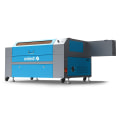
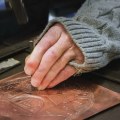
Traditional engraving techniques, such as hand engraving and woodcut printing, have been the cornerstone of the craft for centuries. These methods require a high level of skill and artistry, allowing engravers to produce intricate designs on various materials like metal, wood, and glass.However, as technology advances, many engravers are discovering ways to combine these age-old techniques with modern methods to enhance their work. One significant development is the rise of laser engraving, which provides precision and speed that traditional methods often cannot match. Laser engravers can reproduce complex designs quickly and with remarkable accuracy, making them an invaluable tool for both seasoned professionals and hobbyists. This technology opens up new possibilities for engravers to experiment with intricate patterns and detailed illustrations that would be time-consuming or difficult to achieve by hand. Moreover, modern software tools allow engravers to create and manipulate designs digitally before bringing them to life through both traditional and modern techniques. Programs like Adobe Illustrator or CorelDRAW enable artists to draft their creations with ease, ensuring that every detail is accounted for.
Once satisfied with the digital design, they can choose whether to execute it by hand or use a laser engraver, providing a unique blend of craftsmanship and technology. This fusion of traditional techniques and modern methods not only broadens the creative horizons for engravers but also makes high-quality design resources more accessible. As more individuals enter the engraving field, having the ability to adapt and utilize both approaches can significantly enhance their projects and overall skill set.
Essential Digital Tools for Engraving
In the world of engraving, having the right tools at your disposal can significantly enhance your creativity and productivity. Whether you are a seasoned engraver or just starting out, utilizing effective design software is crucial for producing high-quality work. Here, we will explore some essential digital tools that can aid in your engraving projects.Inkscape
is a fantastic free vector graphic design software that offers a user-friendly interface and powerful features suitable for engraving designs.It allows you to create and manipulate vector images, making it ideal for both simple and complex engraving tasks. The software supports various file formats and is compatible with different operating systems, making it accessible to a wide range of users. Another popular option is Adobe Illustrator, which, although not free, offers a comprehensive suite of tools for graphic design and engraving. Its advanced features enable you to create intricate designs with precision. Many engravers find it invaluable for preparing artwork, especially when working with laser engraving machines.
Adobe also provides a free trial period, allowing you to explore its capabilities before committing to a subscription. Additionally, there are numerous online resources that offer free design elements specifically tailored for engravers. Websites like Vecteezy and Freepik provide access to a vast array of free vector graphics and templates that can be easily adapted for engraving projects. These resources can save you time and inspire new ideas while ensuring your designs stand out. In summary, leveraging these essential digital tools can significantly improve your engraving process. Whether you choose Inkscape, consider investing in Adobe Illustrator, or utilize online resources, having the right software will empower you to bring your creative visions to life.
Material-Specific Design Ideas
When it comes to engraving, the choice of material significantly influences the design process.Each material possesses unique characteristics that can affect the engraving technique and style. Here, we explore design ideas tailored for various materials including wood, metal, glass, and others.
Wood
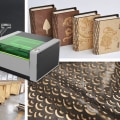
is one of the most popular materials for engraving due to its versatility and aesthetic appeal. When designing for wood, consider incorporating natural textures and patterns that can enhance the overall look. Utilizing designs with flowing lines and organic shapes can complement the grain of the wood, creating a harmonious piece.Additionally, explore the use of different wood stains to add depth and contrast to your engravings.
Metal
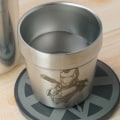
engraving presents its own set of challenges and opportunities. For metal surfaces, designs should be bold and defined, as intricate details may not translate well on harder surfaces. Consider using geometric shapes or stylized text that stands out against the reflective nature of metals. Engraving deeper into the metal can create a striking contrast, so designs that play with depth and shadows can be particularly effective.Glass
engraving requires a delicate touch and a careful approach.Designs for glass often benefit from fine details and intricate patterns that catch light beautifully. Floral motifs, delicate filigree, or even personalized monograms can elevate glass pieces into stunning works of art. It's essential to remember that the transparency of glass allows for unique layering effects, so consider how your design can interact with light. Beyond these materials, there are many other options like leather, stone, and acrylic, each offering distinct design possibilities. For leather, simple yet elegant designs work best, while stone engravings can embrace rugged textures to reflect a natural aesthetic.
Acrylic engravings can utilize vibrant colors and transparency to create eye-catching displays. As you embark on your engraving projects, think about the specific material you are working with and tailor your designs accordingly. This consideration will not only enhance the beauty of your work but also ensure that your designs resonate with your audience. In conclusion, utilizing free design resources is crucial for enhancing your engraving skills. These resources not only provide inspiration but also equip you with the necessary tools to tackle various engraving projects. Whether you are a beginner looking to explore the world of engraving or an experienced engraver seeking fresh ideas, the links and tools provided in this article can help fuel your creativity. We encourage you to dive into the wealth of materials available to you.
Don’t hesitate to experiment and discover how these resources can transform your design approach. Remember, every engraving project is an opportunity to learn and grow, so take advantage of the free resources at your disposal!.