In the world of engraving, precision and creativity go hand in hand. Whether you're crafting intricate designs for jewelry, creating personalized gifts, or working on larger projects like signage, having the right tools at your disposal is essential. Enter the realm of software designed specifically for creating engraving designs. With an abundance of options available, choosing the best software can be overwhelming.
This article delves into the top software for crafting engraving designs, highlighting features that cater to both beginners and seasoned professionals alike. Imagine being able to transform your artistic visions into stunning engravings with just a few clicks. The right software not only streamlines the design process but also enhances your ability to experiment with different styles, fonts, and layouts. From user-friendly interfaces to advanced functionalities, these tools are tailored to meet diverse needs, making them indispensable for anyone involved in the engraving industry. Join us as we explore the best software options available today that can elevate your engraving projects. You'll discover how each program stands out in terms of usability, design capabilities, and compatibility with various engraving machines.
Whether you're looking to fine-tune existing designs or start from scratch, our comprehensive guide will provide you with the insights needed to make an informed choice. Engraving is a timeless craft that has evolved significantly over the years, blending traditional techniques with modern technology. As artisans and hobbyists delve into the world of engraving, the importance of utilizing the right design software cannot be overstated.
Best software for creating engraving designs
plays a crucial role in enhancing creativity, precision, and efficiency in the engraving process. With a growing interest in both traditional and contemporary engraving methods, there is an increasing demand for effective design tools that can cater to various materials such as metal, wood, glass, and more. When it comes to choosing the right software for engraving design, it is essential to categorize the available options into traditional and modern tools.Traditional engraving software often includes applications that have been staples in the graphic design industry for years, while modern tools are specifically tailored for engraving tasks. Each category offers unique features that cater to different engraving techniques. One of the most popular traditional software options is Traditional engraving software often includes applications that have been staples in the graphic design industry for years, while modern tools are specifically tailored for engraving tasks. Each category offers unique features that cater to different engraving techniques. One of the most popular traditional software options is Adobe Illustrator. This vector graphics editor is widely used by professionals due to its extensive capabilities, including advanced drawing tools and powerful typography features. Its compatibility with various engraving machines makes it a favorite among engravers.
With Illustrator, users can create intricate designs that can be easily scaled without losing quality, making it ideal for detailed engraving work. Beginners may find the learning curve a bit steep, but numerous online tutorials can help ease the transition. Another strong contender in the realm of traditional engraving software is CorelDRAW. Known for its user-friendly interface, CorelDRAW offers similar functionalities to Adobe Illustrator but with a different approach to design. It provides robust vector editing tools and supports a wide range of file formats compatible with many engraving machines.
For beginners, CorelDRAW's intuitive layout and helpful resources make it easier to get started with creating beautiful engraving designs. On the other hand, modern engraving software options like LightBurn and Inkscape have gained popularity due to their specialized features tailored for laser engraving. LightBurn is specifically designed for laser cutters and engravers, offering an all-in-one solution for design, layout, and control of laser machines. Its user-friendly interface allows beginners to quickly grasp the essentials while providing advanced settings for more experienced users. However, users should be aware of the software's cost as it requires a license purchase.
Inkscape
, on the other hand, is an open-source vector graphics editor that offers a cost-effective solution for those just starting out in engraving design.It provides essential tools for creating vector images and supports various file formats needed for engraving machines. While Inkscape may not have all the advanced features found in paid software options, it remains a fantastic choice for beginners looking to experiment with their designs without financial commitment. When selecting software for engraving designs, potential users should consider several factors including cost, compatibility with their chosen engraving machines, and ease of use. While some software may come with a higher price tag, investing in quality tools can lead to better results and a more streamlined workflow. Additionally, users should be prepared for varying learning curves associated with each program.
Some may offer extensive tutorials and community support while others might necessitate self-learning through trial and error. To get started with any of these tools, beginners should focus on familiarizing themselves with the basic features first. Create simple shapes and practice using different functions before diving into complex designs. Online forums and communities can also provide valuable insights and tips for overcoming common challenges faced during the learning process. Ultimately, choosing the best software for creating engraving designs hinges on individual needs, preferences, and the specific requirements of the projects at hand.
Custom Engraving Services
In today's digital age, design software has revolutionized the way individuals approach custom engraving projects. has revolutionized the way individuals approach custom engraving projects.Users can take advantage of advanced tools and features to create intricate designs tailored to their specific needs. Whether it's for a personal gift, a corporate award, or decorative items, having the right software can make all the difference. One significant benefit of utilizing design software is the ability to experiment with various styles and layouts before finalizing a design. Most programs offer templates and easy-to-use interfaces that allow users, regardless of their skill level, to produce professional-quality designs. This flexibility enables users to visualize how their ideas will translate into physical engravings. Furthermore, many engraving design software options come equipped with features that support different file formats.
This compatibility is crucial when working with professional engraving services that often require specific file types for their machines. By ensuring that designs are in the correct format, users can streamline the process and avoid any potential delays. Additionally, custom engraving services often appreciate receiving files that include detailed specifications regarding size, material, and desired depth of engraving. With design software, users can easily input these parameters, making it simpler for professionals to execute the design accurately. In conclusion, leveraging design software for custom engraving not only enhances creativity but also ensures a smoother collaboration with professional engraving services. By investing time in learning how to use these tools effectively, users can elevate their projects to new heights.
Getting Started with Engraving Design Software
Starting your journey with engraving design software can be both exciting and overwhelming, especially for beginners.To help you navigate this process, here are some tips that will enhance your experience and boost your skills. First and foremost, familiarize yourself with the software interface. Most engraving design tools offer tutorials and user guides. Take the time to explore these resources, as they will provide valuable insights into the features and functionalities available. Additionally, consider watching video tutorials on platforms like YouTube, where experienced users share their tips and tricks. Practice is key to mastering any design software.
Start with simple projects that allow you to experiment with different tools and techniques. For instance, try creating basic shapes or patterns before moving on to more complex designs. This incremental approach will build your confidence and understanding of the software. Another effective way to learn is by joining online forums or social media groups dedicated to engraving. Engaging with a community of fellow enthusiasts can offer inspiration, feedback, and support.
You can also find a wealth of free resources, including design templates and project ideas shared by other users. Finally, don’t hesitate to explore various materials like metal and wood during your practice sessions. Understanding how the software interacts with different substrates will expand your creative possibilities. Remember, each material may require unique settings and adjustments in the software, so experimentation is essential. By following these tips and consistently practicing, you'll soon find yourself more comfortable with engraving design software, paving the way for your creative projects to come to life.
Traditional vs Modern Engraving Techniques
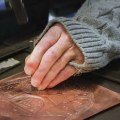
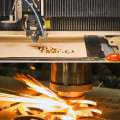
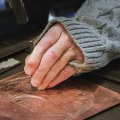
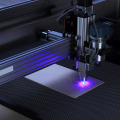
Engraving has a rich history that dates back centuries, with traditional methods rooted in craftsmanship and artistic skill. These techniques often involve hand tools and manual processes, where artisans meticulously carve designs into various materials.Common traditional engraving methods include hand engraving, where a skilled artisan uses tools like burins or gravers to create intricate patterns, and etching, which employs acid to cut into the material. These methods require extensive training and a deep understanding of materials to achieve desired results. In contrast, modern engraving techniques have revolutionized the industry, primarily through the advent of laser engraving and CNC (Computer Numerical Control) engraving. Laser engraving utilizes focused laser beams to vaporize material and create precise designs, allowing for rapid production and complex patterns that would be nearly impossible to achieve by hand. CNC engraving, on the other hand, uses computer-controlled machinery to carve designs with high accuracy, making it ideal for mass production. The role of design software is crucial in both traditional and modern engraving methods.
For traditional engravers, software can assist in creating detailed templates and digital mock-ups that guide the hand-engraving process. Programs like Adobe Illustrator enable artisans to visualize their designs before committing them to physical materials. In modern techniques, design software is indispensable. It allows users to create intricate designs that can be directly sent to laser or CNC machines for engraving. Software like CorelDRAW and AutoCAD offers advanced tools for designing, modifying, and optimizing engravings, ensuring precision and efficiency in the workflow.
Thus, while traditional methods emphasize manual skill and artistry, modern techniques leverage technology and software to enhance creativity and productivity in the engraving process.
Applications of Engraving Across Different Materials
Engraving is a versatile art form that allows for the creation of intricate designs on various materials. Each material presents unique challenges and opportunities for engraving, making it essential to choose the right approach and tools.Design software
plays a crucial role in adapting designs to suit different surfaces, ensuring that the final output is both aesthetically pleasing and durable.Wood
is one of the most popular materials for engraving due to its warmth and natural beauty. Engraving on wood can enhance decorative items, furniture, or personalized gifts.Software can assist designers in creating precise vector files that translate beautifully onto the wood surface, allowing for detailed carvings that highlight the grain and texture of the wood.
Metal
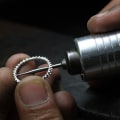
engraving, on the other hand, is often used for creating intricate designs on jewelry, tools, or trophies. The hardness of metal requires specialized software that can generate designs suited for engraving machines capable of working with tougher materials. With advanced design software, users can simulate how different engraving techniques will affect the metal's finish and durability. Glass engraving adds another layer of sophistication to designs.Engraving software
can help create designs that are not only visually appealing but also tailored to the specific type of glass being used.Whether it's frosted glass or crystal, software can allow designers to visualize how their engravings will reflect light and enhance the overall appearance. Lastly, ceramics and other composite materials are increasingly popular in engraving projects. Software aids in designing intricate patterns that can withstand high temperatures during firing processes. By utilizing design software, artisans can create stunning ceramic pieces with engravings that tell a story or showcase artistic expression. In conclusion, the applications of engraving across different materials are vast and varied. With the aid of modern design software, artists and craftsmen can explore their creativity while ensuring precision and quality in their work.
Top Software Options
When it comes to creating stunning engraving designs, there are several software options available that cater to different skill levels and project requirements.Here, we explore some of the best software for creating engraving designs, highlighting their key features along with the pros and cons of each.
1.Adobe Illustrator
Adobe Illustrator is a versatile vector graphics editor that is widely used for engraving design. Its powerful tools allow for intricate designs, making it suitable for both beginners and professionals. Key features include advanced drawing tools, customizable brushes, and the ability to work with various file formats.Pros:
Industry-standard software, extensive tutorials available, great for detailed designs.Cons:
Subscription-based pricing can be expensive, steep learning curve for beginners.2.CorelDRAW
CorelDRAW is another popular choice among engravers. It offers a user-friendly interface and robust design features that facilitate the creation of high-quality engravings.Key features include intuitive drawing tools, a large library of clipart, and support for various file types.
Pros:
Affordable one-time purchase option, good customer support, excellent for both print and digital designs.Cons:
May lack some advanced features found in Adobe Illustrator, not as widely adopted in some professional circles.3.Inkscape
Inkscape is a free, open-source vector graphics editor that is a great alternative for those on a budget. It provides powerful drawing tools and supports a range of file formats, making it suitable for engraving projects.Pros:
Completely free to use, active community support, regularly updated with new features.Cons:
Performance may lag with very complex designs, less polished interface compared to paid options.4.Fusion 360
Fusion 360 is a cloud-based 3D CAD software that is ideal for users looking to create detailed 3D engraving designs. Its features include parametric modeling, simulation capabilities, and collaboration tools for team projects.Pros:
Comprehensive modeling tools, free for students and educators, great for complex projects.Cons:
More suited for 3D design than traditional engraving, can be overwhelming for beginners.5.LightBurn
LightBurn is specifically designed for laser engraving and cutting projects. This software allows users to design and edit graphics directly within the application and offers extensive control over laser parameters.Pros:
Tailored specifically for laser engraving, easy to learn interface, supports various laser machines.Cons:
Primarily focused on laser applications, may not have as many design features as other graphic design software. In conclusion, selecting the best software for creating engraving designs is crucial for both novice and seasoned engravers.The right tools can significantly enhance the quality and precision of your work, allowing for greater artistic expression. As we have explored, the integration of technology into traditional craftsmanship opens up a world of possibilities, making it easier to design intricate patterns and custom pieces. We encourage you to dive into these engraving design software options and unleash your creativity. Whether you prefer the time-honored methods or are eager to embrace modern techniques, there is a software solution that can help you achieve your vision in engraving.